
Email Password Recovery System
The fortunegreen webmail platform features a password recovery system. Users who have enabled this feature can recover their password via SMS, alternate email, or through challenge phrases.
Log into webmail at:
Password Recovery
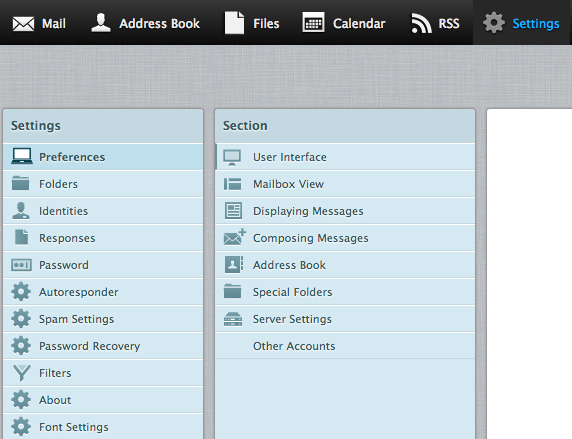
You will see an additional webmail preferences section called Password Recovery, in which you can configure the service with a phone number and/or alternate email address and/or security questions and answers.
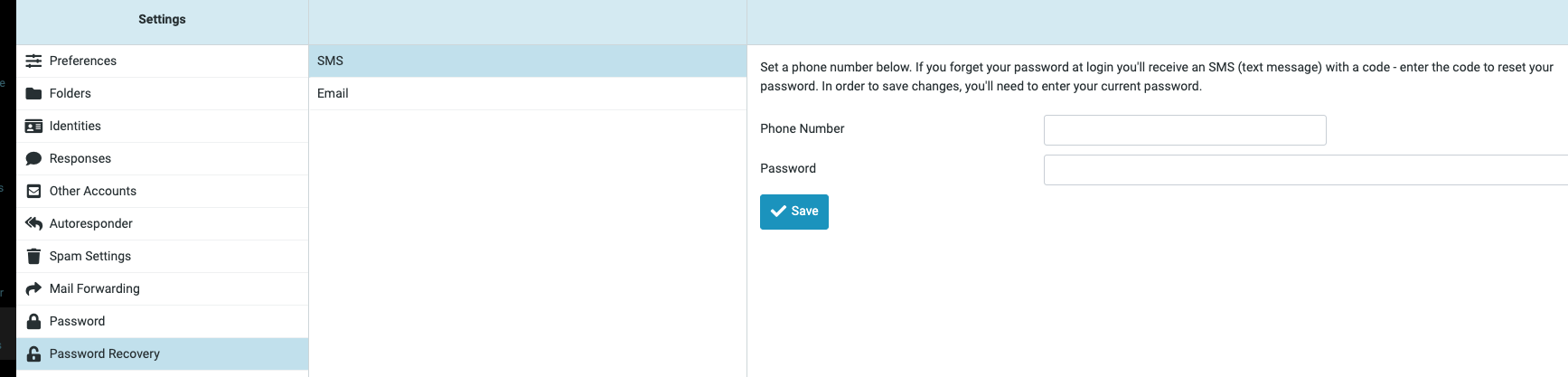
SMS
When enabling this option, the user will be required to enter their internationally standardized phone number and their current password. To complete the setup process an SMS text message with a code will be sent to the phone number submitted. Only after the code is successfully entered is the SMS recovery option fully configured.
Phone Format: +CCCNNNNNNNNNN, where C = country code, N = phone number
Once this option is enabled, should the user fail to authenticate when logging into Web Mail, a password reset link will appear on the login page. On clicking the link a SMS button will appear which when clicked will send an SMS text to the user’s configured phone number. The login section will immediately load the option to enter the code and confirm a new password to set on the account.
When enabling this option, the user will be required to enter another email address and their current password. To complete the setup process an email will be sent to the entered email address that includes a code. The code can then be entered on the preferences page to complete the setup.
Once this option is enabled, should the user fail to authenticate when logging into Web Mail, a password reset link will appear on the login page. On clicking the link an Email button will appear which when clicked will send an email to the alternate email address configured, and the login section will immediately load the option to enter the code and confirm a new password to set on the account.
Challenge Response
When enabling this option, one or more questions and answers can be configured by the user, and the current password must be entered.
Once this option is enabled, should the user fail to authenticate when logging into Web Mail, a password reset link will appear on the login page. On clicking the link a Challenge button will appear which when clicked will load a question and answer option and fields for confirming a new password.
We do not recommend implementing this option as social engineering techniques can allow for someone to hack into the account in certain cases, but have nonetheless made the option available to our users given the number of requests we've received for it.